
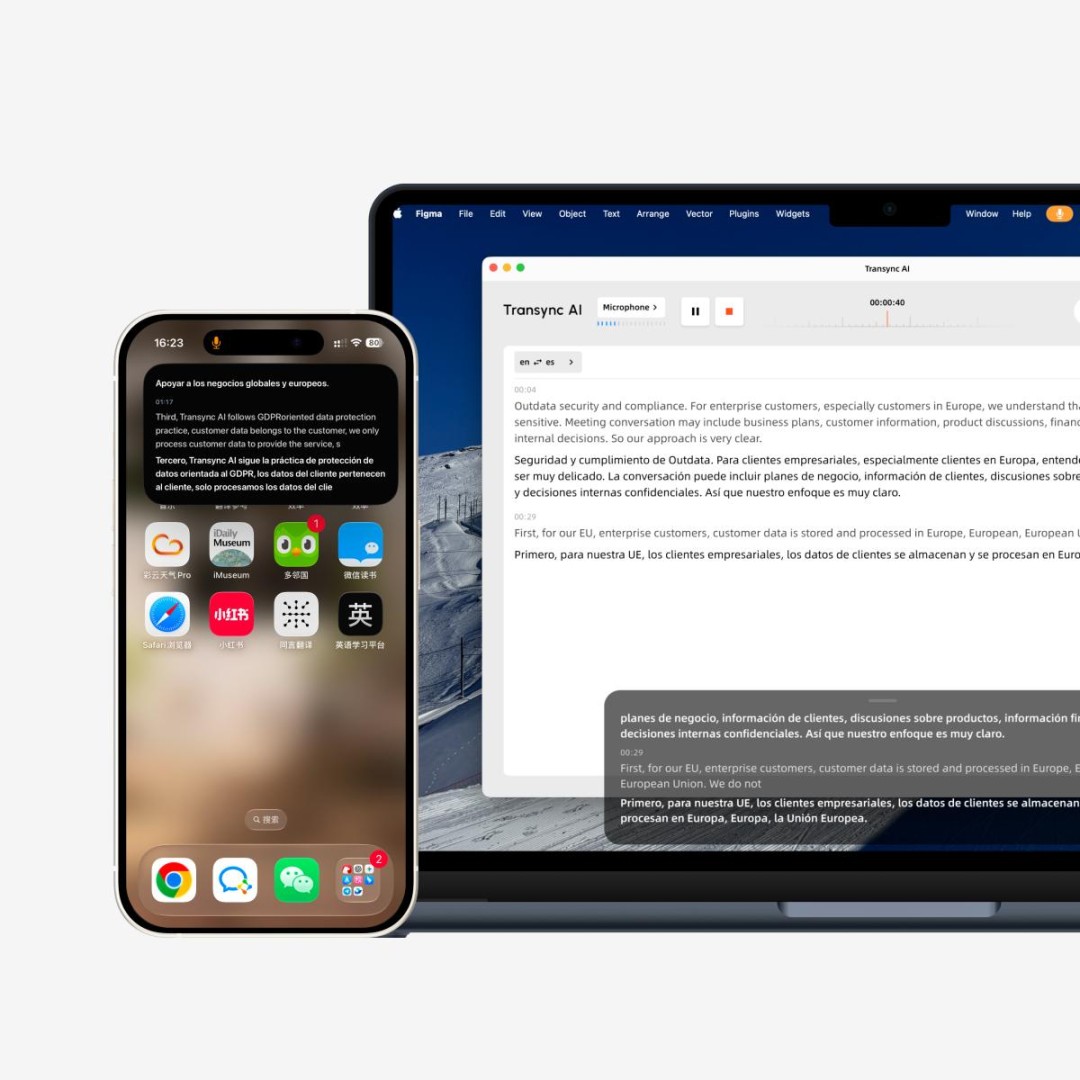
As global teams increasingly rely on Zoom, Microsoft Teams, Google Meet, and other online meeting platforms, real-time translation is becoming an important part of daily collaboration.
Cross-language meetings, however, are rarely as simple as translating one complete sentence at a time. Real conversations often include short phrases, interruptions, background noise, mixed-language speech, and irregular pauses. These conditions can make traditional translation systems feel slow or inconsistent.
Transync AI has introduced its new 2.0 translation models to make multilingual meetings faster, more stable, and more natural.
New Translation Models Built for Real Conversations
The update includes upgraded versions of three Transync AI models: Gale 2.0, Monsoon 2.0, and Jetstream 2.0.
Each model has been improved to deliver better translation speed, accuracy, and continuity across different communication scenarios. The new models are especially optimized for the challenges that commonly occur in real meetings, including:
-
Short or incomplete sentences
-
Mixed-language speech
-
Background noise
-
Irregular sentence breaks
-
Fast exchanges between speakers
These improvements are designed to help translations remain easier to follow during active conversations, rather than only during prepared speeches or presentations.
Supporting Faster Multilingual Collaboration
Transync AI provides bidirectional real-time translation in 60 languages. Participants can speak in either of the two selected languages, while the system automatically identifies the language being spoken and translates it into the other.
The original speech and translated text are displayed side by side, giving users a clear view of both versions of the conversation. Translated voice playback is also available for users who prefer listening instead of continuously reading subtitles.
For online meetings, Transync AI works alongside platforms such as Zoom, Microsoft Teams, and Google Meet. As a standalone application, it does not need to appear as a participant bot inside the meeting.
This makes it suitable for international project meetings, overseas client calls, product demonstrations, remote training, and communication between regional offices.
More Natural Voice Translation
The v2.0 update also adds voice preview for AI broadcast.
Users can listen to different voice options before starting a meeting and choose one that better fits the situation. This can be useful when teams want a professional voice for client meetings, a clearer voice for training, or a more natural tone for everyday conversations.
Transync AI also supports multiple voice styles and voice cloning, allowing translated speech to sound more personal and consistent.
Better Support for Professional Terminology
Names, brand terms, technical phrases, and industry-specific vocabulary are common sources of translation errors.
To address this, Transync AI allows users to enter keywords and meeting context before a session begins. Teams can add company names, product names, professional terms, or personal names, while also describing the meeting topic or industry background.
The latest update expands the available keyword limits, giving individuals and enterprise users more room to prepare specialized vocabulary for professional discussions.
Additional Workflow Improvements
Alongside the new translation models, Transync AI v2.0 introduces several improvements designed for daily use.
These include:
-
Improved desktop floating subtitles
-
Pause and resume controls within the floating subtitle window
-
Automatic memory of the subtitle window’s previous position
-
Expanded interface language support
-
Better preservation of last-used speaker and workspace settings
-
Improved network connectivity and email verification experience
-
A Windows virtual microphone setup guide for online meeting platforms
The interface is now available in additional languages, including Russian, French, German, Spanish, Italian, and Portuguese.
Transync AI also provides AI-generated meeting notes, helping teams review key points and decisions after multilingual conversations.
Designed for Teams That Meet Across Languages
The new 2.0 models reflect Transync AI’s focus on frequent, real-world multilingual communication.
Rather than treating translation as a separate step, the platform is designed to integrate subtitles, voice translation, terminology support, and meeting notes into one workflow.
Transync AI requires an internet connection and is primarily designed for spoken communication. It does not currently provide offline translation, image translation, or document translation.
About Transync AI
Transync AI is an AI-powered real-time translation platform designed for multilingual meetings and conversations.
The platform supports bidirectional translation in 60 languages, bilingual subtitles, AI voice playback, custom keywords and context, floating subtitles, and automatic meeting notes.
Media Contact
Company Name: Transync AI
Email: Send Email
City: New York
Country: United States
Website: https://www.transyncai.com/